The 2011 version of the 14z (which looks very
different from this one) was also a great-looking, slim, fairly priced laptop.
It's almost enough to make you forget about Dell's higher-end XPS laptops. I
wish the keyboard felt a little tighter, and a higher-res screen wouldn't hurt,
either. Still, if finding the right price/performance/design balance is
important to you, it wouldn't hurt to take the Inspiron 14z for a test drive.
Price as reviewed / Starting price
$899 / $699
Processor
1.7GHz Intel Core i5-3317U
Memory
8GB, 1,333MHz DDR3
Hard drive
500GB 5,400rpm / 32GB SSD
Chipset
Intel HM7
Graphics
AMD 7570M / Intel HD 4000
Operating system
Windows 7 Home Premium (64-bit)
Dimensions (WD)
13.7x9.5 inches
Height
0.8 inch
Screen size (diagonal)
14 inches
System weight / Weight with AC
adapter
4.1 pounds / 5.1 pounds
Category
Midsize
The
good:With a new slim design,
the Dell Inspiron 14z impresses by including an Intel Core i5
CPU and discrete AMD graphics, all for a very reasonable price.
The
bad:There's still a bit of a budget
feel to parts of the body. Battery life, while decent, isn't going to get you
through a full day.
The
bottom line:Dell has managed to give a very
upscale feel to its mainstream Inspiron 14z, a 14-inch ultrabook that
comfortably juggles price, design, and performance.
Samsung's behemoth Series 7 Gamer is
one of a new line of laptops for the Korean electronics giant, clearly an
answer to products from the likes of Origin, Alienware, and Asus.
Big-boned and full of high-end
components, the Series 7 Gamer comes in only one, $1,899 configuration. The
good news is that there's a lot of meat in this laptop: a quad-core Core
i7-3610QM processor, 16GB of RAM, Nvidia GeForce GTX 675M graphics, a 750GB
hard drive, and a 1,920x1,080-pixel-resolution 17-inch display that's flat-out
gorgeous.
(Credit:
Sarah Tew)
Yes, it's heavy (9 pounds). Yes,
it's expensive (nearly $2,000). Yes, it's a little ugly. However, it's one of
the best-performing laptops we've ever seen, at a price that's not that
unreasonable. Samsung's entry into PC gaming laptops is a success, although
it's a surprisingly bulky and flashy product for a company that's been making
sleek and minimal laptops otherwise.
Price as reviewed
$1,899
Processor
2.3GHz Intel Core i7-3610QM
Memory
16GB, 1,333MHz DDR3
Hard drive
1.5TB 7,200rpm (2x750GB)
Chipset
Intel HM77
Graphics
Nvidia GeForce GTX 675M
Operating system
Windows 7 Home Premium (64-bit)
Dimensions (WD)
16.1x11.2 inches
Height
1.3-2 inches
Screen size (diagonal)
17.3 inches
System weight / Weight with AC
adapter
9 pounds / 11.1 pounds
Category
Desktop
replacement
With its lid closed, the big, black,
shiny presence of the Samsung Series 7 Gamer blends in with the "gamer
gear" look of so many other competing products. There's nothing on the
surface that screams anything unique.
The good:The Samsung Series 7 Gamer has a fantastic screen, plenty of ports, a blazing processor and graphics, and most of the features you'd be looking for in a gaming desktop replacement.
The bad:This clunky beast isn't a looker, and it's hardly priced to be relevant to most shoppers: at slightly under $2,000, this is a specialty item.
The bottom line:The Samsung Series 7 Gamer is huge, expensive, and unattractive, but it's also one of the best gaming laptops that we've seen this year. If you don't mind its beefy 17-inch form, you won’t be disappointed.
The name Yoga is suggestive of the
system's big selling point, that the display flips fully over to become a
tablet. In fact, it has four basic usable positions -- clamshell laptop,
tablet, stand, and tent.
The
reason the Yoga stands out from the suddenly crowded touch-screen laptop scene
is that it does something other convertible or hybrid laptops do not. When set
up as a traditional laptop, the 13.3-inch Yoga doesn't compromise the
all-important clamshell experience. The excellent double-hinge design means
that it looks and works the same as any other ultrabook laptop, unlike the
complex and often clunky mechanisms in systems such as the HP Envy x2, Sony Vaio Duo 11, or Dell XPS 12.
The
Yoga works best as a full-time laptop and part-time tablet, because when it's
folded back into a slate, you still have the keyboard pointing out from the
back of the system. Although the keyboard and touch pad are deactivated in this
mode, it's still not ideal. Plus, despite the hype, Windows 8 is still not a
100-percent tablet-friendly OS, and there are some frustrations that span all the
Windows 8 tablet-style devices we've tested.
The Yoga certainly seems to be
everyone's choice for a great Windows 8 ambassador -- both Microsoft and Intel
have touted it as a best-in-class example, and Best Buy is currently featuring
it in a television ad. At $1,099, you're paying a bit of a premium, but not
outrageously so, for an Intel Core i5/8GB RAM/128GB solid-state drive (SSD)
configuration (note that our early review unit had only 4GB of RAM installed),
but a less expensive Core i3 version starts at $999. If I had to pick a single
first-wave Windows 8 convertible touch-screen laptop, the Yoga would be at the
top of my list.
Pros:The Lenovo IdeaPad Yoga 13 looks as good as any 13-inch ultrabook, with the added attraction of a 360-degree screen and a laptop body that can fold into a tent, stand, or slate.
Cons:Tablet mode leaves the keyboard exposed, and the Yoga 13 costs more than standard ultrabooks with similar components.
The bottom line:The Lenovo IdeaPad Yoga 13 is a convertible touch-screen laptop/tablet that most importantly doesn't compromise the traditional laptop experience..
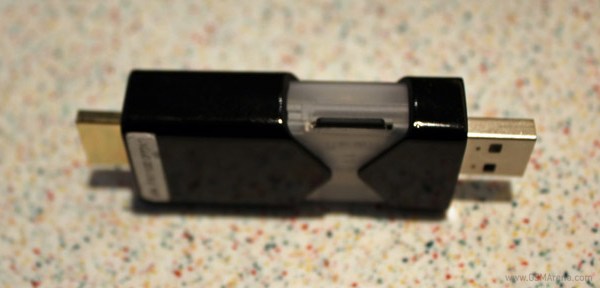
FXI squeezes a dual-core chipset into a USB stick, lets you turn any monitor into an Android device
What you see here is one of the coolest USB sticks we’ve ever come across. Called Cotton Candy, it carries a fully functional chipset running the Android operating system inside it. All it needs is a USB cable to draw power and an HDMI cable to connect to a screen of some sort.
Thanks to this creation of the Norwegians from FXI technologies, you can turn any available screen into an Android device. Your TV and computer monitor can grow brains of their own with this stick.
And, rest assured, the non-touchscreen is not really an issue. Cotton Candy comes with Bluetooth connectivity so you can connect your keyboard and mouse to it. There’s even a microSD card slot on that thing.
Alternatively, you can just plug the stick into your laptop and have it running Android in a matter of seconds, using the built-in keyboard and mouse. We don’t know if it will have too many practical applications, but it’s hard to beat the Cotton Candy at coolness.
HP launches new Folio 13 Ultrabook, refreshes the Envy and Pavilion dm4 range
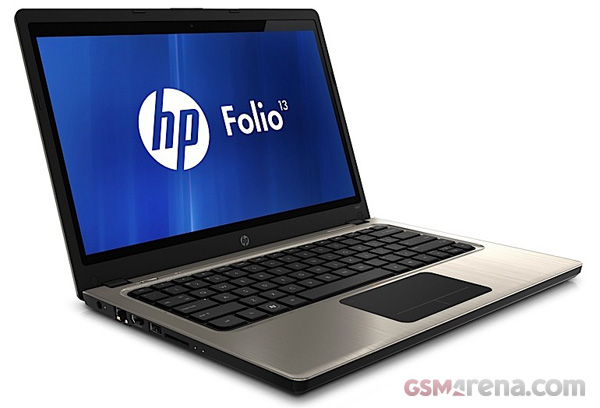
After nearly spinning off their PC division and then deciding to keep it HP is now back with a bang with three new laptops. First, they launched all a new Ultrabook because that’s what all the cool kids are doing these days. It’s called the Folio and according to HP it’s the first business Ultrabook, offering the best battery life in its class.
The Folion 13 has a 13.3-inch, 1366 x 768 display with an Intel Core i5-2467M processor, 4GB of RAM, 128GB mSATA SSD, USB 3.0, a backlit keyboard, six cell battery and HP’s CoolSense technology. All of this for $900. Compared to the other Ultrabooks on the market, the Folio is not as thin and light. But for that price and specifications, not to mention the claim of the best battery life, it is far better value.
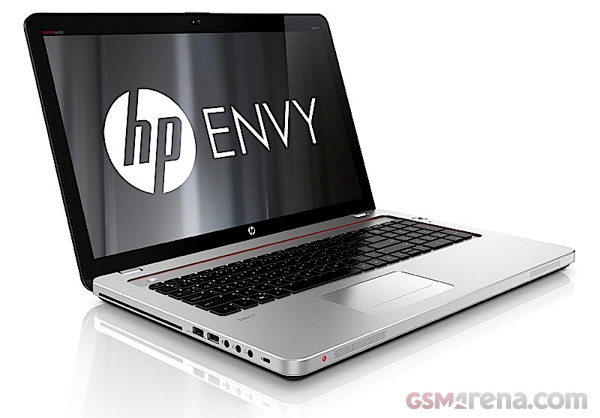
Next is the HP MacBook Pro… errr… I mean the Envy, which has received a complete design makeover, compared to the previous generation model. The Envy is available in 15, 17 and 17 3D variations and has Beats audio, as can be seen by the logo on the front and the red highlights around the keyboard.
The Envy 15 gets a 15.6-inch display with 1366 x 768 resolution, although there is also an option to go for a 1080p IPS panel. It also has a Core i5-2430M CPU, AMD Readeon HD graphics (model not specified), 6GB RAM, 500GB, 7200-rpm HDD, slot loading drive, HDMI out, DisplayPort, two USB 3.0 portsand an eight cell, 76Wh battery with a claimed battery life of up to 9 hours.
The Envy 17 comes with a 1080p TN panel, Core i5-2430M CPU, AMD Radeon HD graphics, 6GB RAM, 750GB, 7,200-rpm HDD and a six cell, 91Wh battery that gives a claimed 9 and a half hours of battery life.
Then we have the Envy 17 3D, that has a 1080p 3D display, Core i5 processor, 8GB RAM, 750GB HDD, AMD Radeon HD graphics, six cell battery, Blu-ray drive and a pair of active shutter glasses.
All the models get an LED backlit keyboard that automatically switches on when it senses presence nearby.
The Envy 15, 17 and 17 3D will be priced at $1,100, $1,250 and $1,600 respectively.
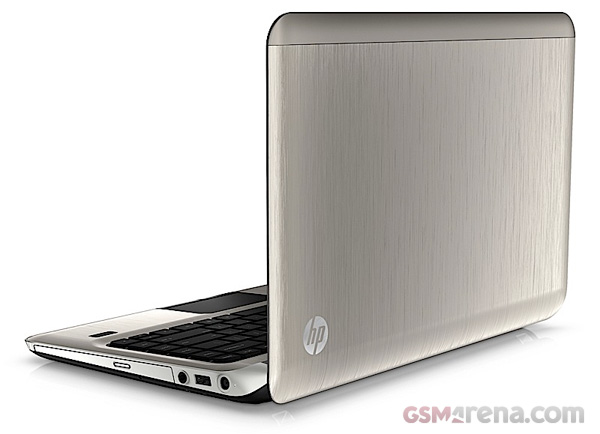
Lastly we have the new HP Pavilion dm4, which is an updated version of last year’s model. One of the key differences is the new Beats audio system with a built-in subwoofer, in favor of the Altec Lansing speaker system on last year’s model. Other than that it has a 14-inch, 1366 x 768 LED backlit display, Core i3 CPU, AMD Radeon HD 7470M graphics, 6GB RAM and a 640GB 5,400-rpm HDD.
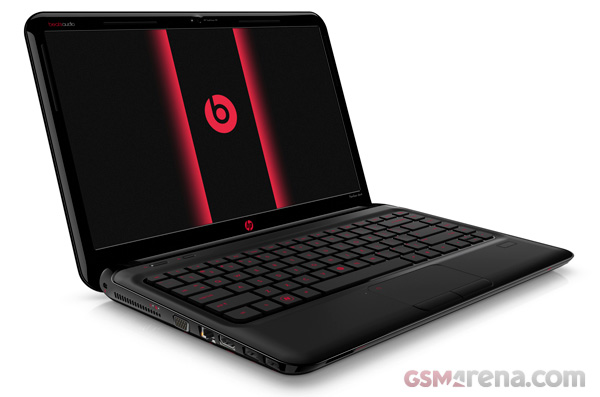
There is also a new Pavilion dm4 Beats Edition, that comes in the signature black and red Beats color scheme and a massive Beats logo on the lid. This model comes with a more powerful Core i5 processor, 8GB of RAM and a bigger 750GB hard drive.
The standard Pavilion dm4 will cost you $630 and the Beats Edition should set you back by $900, when they go on sale on December 18.
ASUS Transformer Prime live photos show its magnificence
Live photos of the Transformer Prime has hit the web. The quad-core monster of a table, pending its announcement for November 9, is one of the most anticipated devices of the year and now with its looks sort of revealed our excitement has gone through the roof.
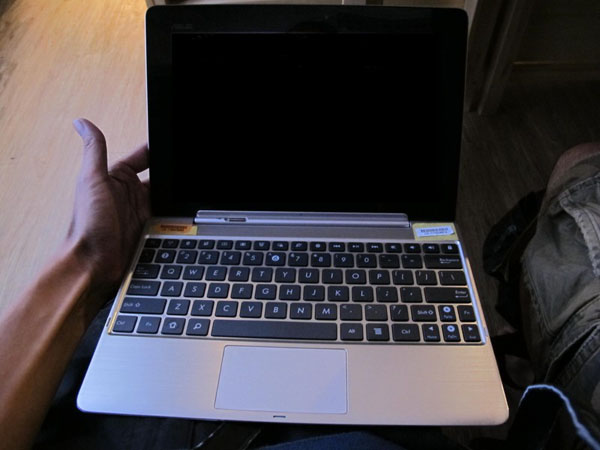
That’s how the Transformer Prime will look like with its laptop dock on. Now, we don’t have any further information as to whether the dock is made of aluminum or not, but it looks gorgeous. I’ll admit it looks MacBook-ish, but nevertheless, it is a nice piece of kit.
On to the tablet itself, its back panel too looks as if it’s made of aluminum, but until we hear from ASUS on the Prime’s announcement date, we can’t be 100% sure. As you may recall from a recent interview with ASUS Chairman Jonney Shih, the tablet will rock the quad-core Nvidia Kal-El platform with 1GB of RAM and a 10.1-inch IPS display. Pretty juicy stuff.
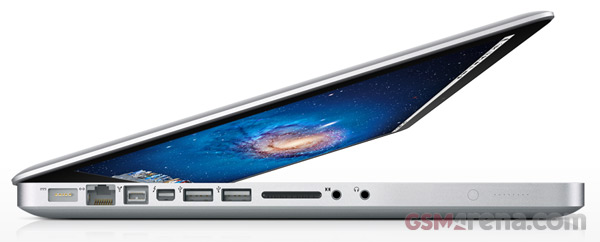
Apple launches the new MacBook Pro line-up, faster performance, same look
Apple has just released the new line-up of MacBook Pro laptops and, it looks like it’s the iPhone 4S story all over again.
The new MacBook Pros have been speed bumped with a new family of Intel core i5 and core i7 processors bundled with the latest in AMD mobile graphics. More specifically, the dual-core processors are to be found in the entry level 13-inch MacBook Pro with the option to be replaced with the beefier 2.8GHz Intel core i7 dual-core chip.
If dual-core is too 2008 for you, the 15-inch and 17-inch MacBooks come with core i7 quad-core CPUs out of the box and either the AMD Radeon HD 6750M with 512MB of memory or the beastly Radeon HD 6770M with 1GB GDDR5 memory discrete GPU.
Both 13-inch and 15-inch MacBooks can be ordered with either 500GB or 750GB hard drives. The 17-incher is only available with a 750GB hard drive.
Prices remain the same as before with the 13-incher starting at $1199 and $1799 for the base configuration of the 15-inch one. The 17-inch monster will cost you north of $2499.
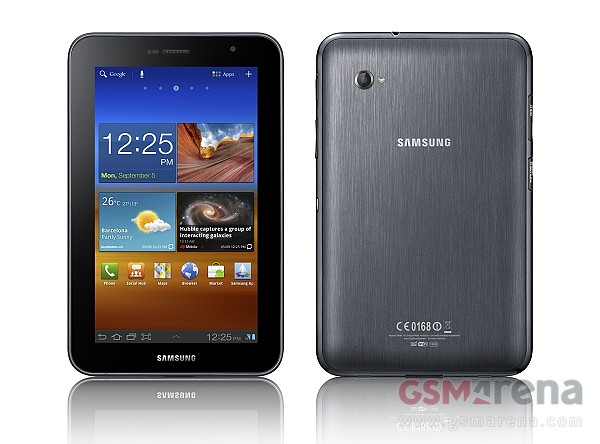
Samsung Galaxy Tab 7.0 Plus
In case you liked our hands-on of the recently announced Samsung Galaxy Tab 7.0 Plus, and wondered when can you get your own, we have an official date for you. The most pocket friendly Android Honeycomb slate from the Samsung family will hit the shelves in the United States on November 13, with prices starting a $399.99.
In case you are extra anxious about getting one, you can pre-order it from October 23. The tablet will be available in a number of major retailers including BestBuy, Amazon, Tiger Direct, etc.
With a zippy, dual-core CPU and the latest Android Honeycomb 3.2, all wrapped in a sleek and stylish body with compact measures, I am quite curious to see how is the Galaxy Tab 7.0 Plus going to fare against the competition. With similar offerings from Acer and Toshiba with lower price tags lurking around, it surely won’t be very easy.
Toshiba extends the Thrive lineup with a 7″ Android Honeycomb tablet
As Android 3.2 Honeycomb with its built-in support for smaller screens got released, there is little surprise that 7″ tablets, with the latest Google OS on board, started rolling out with a rapid pace. Toshiba is the latest manufacturer to offer a 7″ slate with the unveiling of its second Thrive Android Honeycomb tablet.
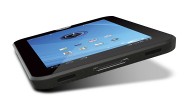
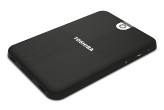
The 7″ Thrive carries the same styling as its bigger brother, featuring a rugged looking, textured plastic-made back cover, but in a significantly smaller body. The specs include a dual-core NVIDIA Tegra CPU, a gig of RAM, 16 or 32GB of built-in memory expandable through a microSD card slot, and a “true HD display” with 1280×800 pixels resolution. Two HD capable camera units are aboard – a 5MP back snapper, and a 2MP front-facing unit for video chats. Full connectivity suite will be featured, including a microHDMI and microUSB ports. All this functionality will be packed in a body which is 12mm thick, weighing less than 1lb.
The tablet will hit the retail shelves in December. Its pricing has not been revealed yet, but we expect it to be in line with the current tablet offerings.
Asus Eee Pad Slider for $475
The Eee Pad Slider will come with Android Honeycomb 3.2 with a starting price of $475 for the 16 gig model and about $100 more for the doubled capacity 32GB model.
That’s great news and one unearthed by Engadget at a media event held last night in New York City, USA. For more official photos of the device jump past the break.
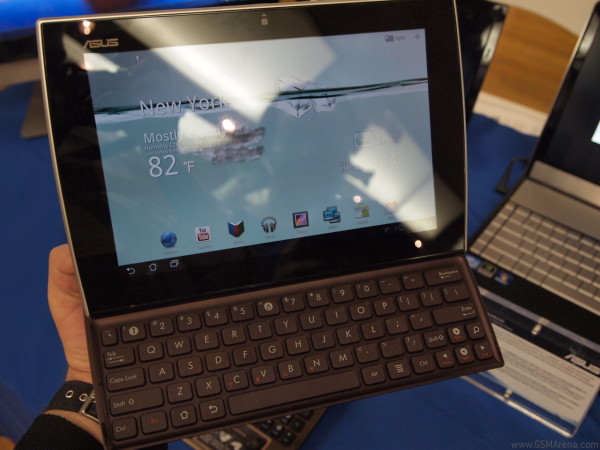
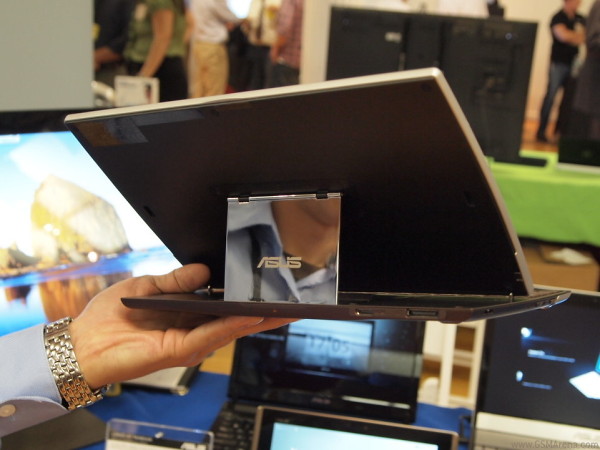
The Asus Eee Pad Slider offers a very interesting design, which is sort of along the lines of the Transformer – in the sense that it combines the tablet main body with an attached keyboard, only this time it’s a non-detachable keyboard and it features a slider design – hence the name.
The Eee Pad Slider offers a 10.1-incher of 1280 x 800 resolution, dual-core 1.2GHz Qualcomm processor, 5 MP main camera and 1 gig of ram amongst other specs. There’s no word on specific carriers yet or set dates but we’re now only two weeks away from September’s end.
Windows 8 previewed on video, mysterious Samsung slate leaks
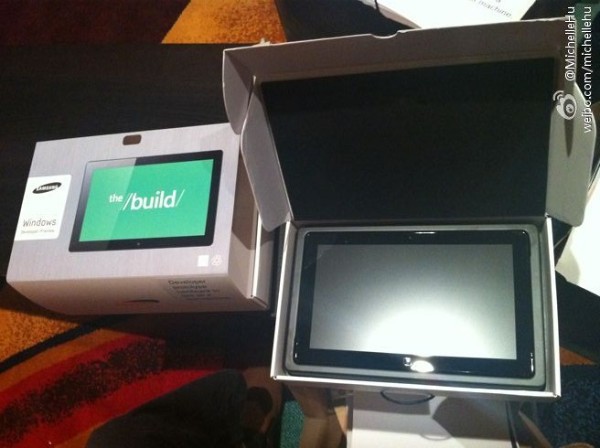
A Samsung-made tablet has leaked from Microsoft’s BUILD developer conference, sporting what appears to be Windows 8. The device is a demo one intended to be given to devs (exclusively) to begin testing on.
It could be the Samsung Series 7 Slate PC, which was revealed at IFA at the beginning of the month, meaning it will have an 11.6″ capacitive touch display with 1366×768 pixels resolution and 400 nits of brightness and a selection of Sandy Bridge Core i3, i5 and i7 (all should be Ultra low-voltage ones) processors with the generous 4 gigs of DDR3 RAM. The Series 7 Slate PC will feature Windows 7 upon launch and will be upgradable to Windows 8, once it’s let loose by Microsoft.
The other possibility is that it will be the NVIDIA Kal-El powered slate – it means it will have 4 (four!) cores instead of just two and run on Windows 8. The difference with Intel’s processors is that NVIDIA’s will have an ARM architecture and perhaps lower battery consumption.
Last but not least it could be this mystery slate, which got in Gizmodo’s hands. It’s running on a test version of Windows 8 but the hardware it’s running on isn’t disclosed. There’s a short video preview of the unknown tablet, which you can check out in the source link below.
As the BUILD conference develops we’ll update with further information, as soon as it becomes available so stay tuned.
Both an iPhone 4S and an Galaxy S II take the plunge, only one survives
Let me be clear up front – this video is not suitable if your heart misses a beat every time you see a tech device getting abused. With that said, we urge you to take a look at this cool experiment courtesy of the guys fromSquareTrade.
They get a hot Apple iPhone 4S and Samsung Galaxy S II and drop them three times from different heights onto concrete. While here at GSMArena we may test everything there is to test on a mobile device, we can’t test how physically strong and durable these devices actually are. So, if you are interested how the iPhone 4S and the Galaxy S II fare on this test, watch this video.
Nice, eh? The result isn’t all that surprising considering the Gorilla Glass display of the Galaxy S II, but this hasn’t stopped more than 4 million people getting themselves an iPhone 4S.
If you were given the opportunity to make such a test which devices would you pick and why?
Before we get to the actual meat of this review, we have a disclaimer to make: both laptops we’re comparing came to us via NVIDIA. Now, before anyone cries “foul!”, let me explain. First, we asked AMD for just such a laptop back in May, and they haven’t been able to get us one yet (though it’s likely as much the fault of OEMs as AMD). We also only just received our first Sony laptop (from Sony) in a long while, and we received the VAIO C from NVIDIA first. Finally, the laptops came boxed up, unopened, with all the standard fluff you’d expect from retail notebooks.
After unboxing, we did our usual thing: create a new user account, and then commence uninstalling the bloatware—and yes, the Sony VAIO C and Acer TimelineX 3830TG both have a lot of it!—and when all that is done and we’ve shut off any unnecessary applications and utilities, we start installing our benchmark suite. After that’s done, we do a full defrag (using Defraggler) and then we can start testing. Despite the source of the laptops, then, we are confident that both are reasonable representations of what you’ll get—actually, the TimelineX 3830TG has some issues with throttling in games, so if anything NVIDIA’s choice for their own platform wasn’t the best, though the Sony VAIO C may not be the greatest AMD offering either.
In terms of other alternatives, while there are dozens of currently shipping Optimus laptops (ASUS, Clevo, Dell, HP, MSI, Samsung, Sony, Toshiba, and others are all onboard with the platform), finding laptops with Intel CPUs and AMD dynamic switchable graphics is a lot more difficult. Sony has the VAIO C—the VAIO S we recently reviewed doesn’t support dynamic switching, instead using the older manual switching—Dell has the Vostro 3450/3550, and HP has it with certain dv6/dv7 series laptops using 6700M GPUs. Meanwhile, 6300M (rebadged 5400M), 6500M (rebadged 5600/5700M) and 6800M (rebadged 5800M) can't support dynamic switching, and no one is trying to do it on 6900M. (Note: I’ve looked around for more details on which laptops support AMD’s Dynamic Switchable Graphics and came up empty, but if anyone can find a comprehensive list I’ll be happy to post it.) There may be a few other laptops out there with Intel CPUs and AMD 6000M GPUs, but there definitely aren’t as many options.
We’ll be running a few benchmarks later, so while we’re on the subject of laptops, let’s go over the full specs. Starting with the AMD Sony VAIO CA laptop, here’s what we have:
Sony VAIO CA (VPCCA290X)
Processor
Intel Core i5-2410M (dual-core 2.30-2.90GHz, 35W)
Chipset
Intel HM65
Memory
2x2GB DDR3-1333 (CL9)
Graphics
AMD Radeon HD 6630M 1GB (480 Cores at 485MHz, 128-bit DDR3 at 1600MHz) Intel HD 3000 Integrated Graphics AMD Dynamic Switchable Graphics
Display
14.0” WLED Glossy 16:9 768p (1366x768)
Hard Drive(s)
320GB 5400RPM HDD (Western Digital Blue WD3200BPVT-55ZEST0)
The OEM-only i5-2410M is a good entry-level Sandy Bridge processor, and pricing is only slightly higher than the base model i3-2310M (which is clocked at 2.1GHz and lacks Turbo Boost support). 4GB RAM is fine, and the HD 6630M is actually a fairly potent mobile GPU as we’ll see in a moment. The big problems with the VAIO CA are that it comes with a slow and rather outdated 320GB 5400RPM hard drive (Western Digital Blue) and it also has a ton of bloatware. The bloatware can be uninstalled, and we did that as our first priority, but the hard drive tended to be an ongoing concern. AMD’s Catalyst Control Center for instance pops up in a couple seconds on my desktop (Bloomfield + SSD + HD 6950), but on the VAIO C there are times when it can take upwards of 30 seconds (with the HDD activity light a solid orange). Games also tended to take a bit longer to load than we’re used to. Outside of those two areas, the VAIO C is pretty much standard consumer laptop fare: glossy 1366x768 LCD, decent but not exceptional build quality, and average speakers. The keyboard is decent, though I’d still prefer dedicated document navigation keys (rather than the Fn+cursor combinations Sony uses), and it does have nice backlighting.
On the other side of the table is Acer’s TimelineX 3830TG-6431, priced over $200 cheaper than the Sony. Acer has a habit of releasing laptops and then discontinuing them not long after, only to replace them with slightly different models, so we can’t guarantee the 3830TG-6431 will always be in stock; however, it appears readily available right now. The AS3830TG-6431 has on serious problem, unfortunately: the CPU tends to throttle down to 1.2GHz when gaming as the CPU and GPU end up creating more heat than the system cooling can handle. That’s a real shame, as if it weren’t for the throttling there would be a lot to like with the 3830TG.
For one, the floating island keyboard I detest so much on other Acer/Gateway laptops is gone, replaced by a chiclet-style keyboard. There’s a bit of flex but I can live with it, and the layout is good (except for the crazy backslash-joined-to-the-enter-key weirdness). This is also a very thin and light laptop, helped by the absence of an optical drive, and the dimensions would be very impressive given the i5-2410M CPU and GT 540M GPU if it weren’t for the thermal throttling problem. Acer gives the TimelineX an aluminum cover and palm rest as well, but the LCD is one of the worst I’ve used (poor viewing angles and weak colors, plus our sample has a red pixel in the middle center of the LCD that’s stuck).
Because of the throttling issue, the 3830TG benchmarks aren’t the best representative of what you can get from NVIDIA’s GT 540M. We’ll include two other laptops with the GT 540M (and Optimus) in most of our benchmarks as alternative reference points: the Alienware M11x R3 (i7-2617M CPU) and the Dell XPS 15 L502x (i7-2630QM). In theory, the i5-2410M should sit somewhere in between these two in terms of performance, but the throttling drops it lower in most tests. However, if you’re willing to play around with a utility like ThrottleStop, you can actually get the CPU to run at a constant 2.1GHz without any throttling (basically using the i5-2410M as an i3-2310M CPU). We tested with ThrottleStop set at 2.1GHz along with running “stock” (e.g. with throttling) to provide a couple more points of reference in our gaming results.